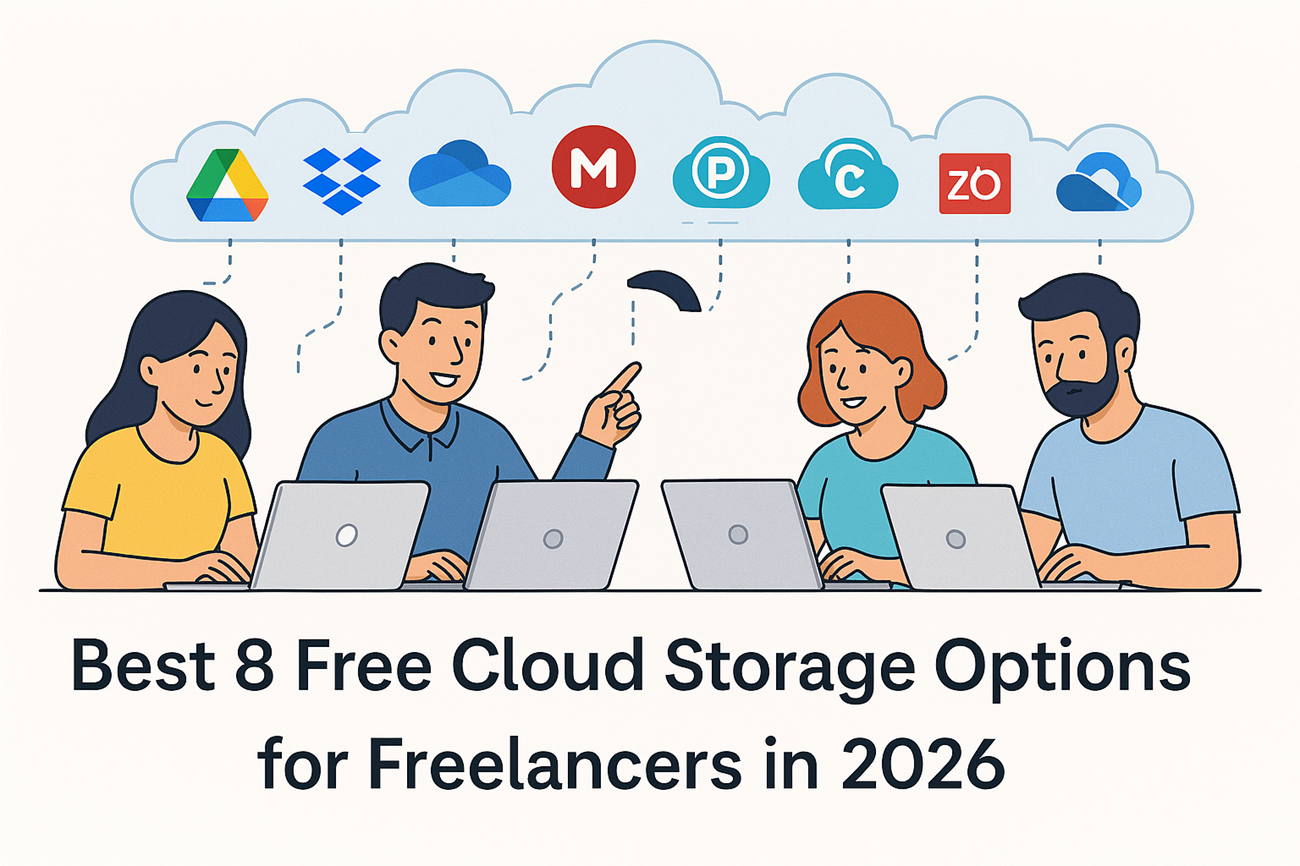
As a freelancer, your files are your lifeline. Whether you’re a designer storing client logos, a writer managing drafts, or a developer safeguarding code, secure and accessible cloud Storage is essential. Gone are the days of relying solely on external hard drives or USB sticks. Today, cloud storage offers free, reliable, and scalable solutions that allow freelancers to work smarter, collaborate seamlessly, and protect their data.
But with so many providers, which free cloud Space option is best for freelancers in 2026? In this guide, we’ll explore the top free cloud space services, their features, pros and cons, and why they’re worth considering.
1. Google Drive
- Overview: Every Google account comes with 15 GB of free cloud storage, shared across Drive, Gmail, and Photos.
- Features:
- Real-time collaboration with Docs, Sheets, and Slides.
- Cross-platform access (web, iOS, Android, desktop).
- AI-powered search and integrated tools for scanning documents.
- Pros: Generous free storage, seamless integration with Google Workspace, strong collaboration tools.
- Cons: Storage is shared across Gmail and Photos, which can fill up quickly.
- Freelancer Use Case: Writers can draft articles in Google Docs and share them instantly with clients. Designers can store mockups and collaborate in real time.
- Conclusion: For freelancers who rely on Google tools, Drive is a must-have free option.
2. Dropbox Basic
- Overview: Dropbox’s free plan offers 2 GB of storage.
- Features:
- File syncing across devices.
- Dropbox Paper for collaboration.
- Dropbox Transfer for sending large files (up to 250 GB).
- Pros: Simple interface, reliable syncing, strong third-party integrations.
- Cons: Limited free storage compared to competitors.
- How It Helps : Ideal for photographers or video editors who need to share large files quickly with clients.
- Conclusion: Best for freelancers who need basic file sharing and syncing without complexity.
3. Microsoft OneDrive
- Overview: Microsoft offers 5 GB of free storage with OneDrive.
- Features:
- Integration with Microsoft Office apps.
- Personal Vault for secure file storage.
- Automatic photo backup.
- Pros: Strong security, seamless integration with Office, reliable syncing.
- Cons: Requires Microsoft account; collaboration features less intuitive than Google Drive.
- How It Helps : Perfect for freelancers who prepare reports in Word or manage spreadsheets in Excel.
- Conclusion: Best for freelancers who use Word, Excel, or PowerPoint daily.
4. MEGA
- Overview: MEGA provides 20 GB of free storage with end-to-end encryption.
- Features:
- Zero-knowledge encryption for maximum privacy.
- Fast uploads/downloads via desktop app.
- Secure sharing with encrypted links.
- Pros: Excellent security, generous free storage.
- Cons: Collaboration tools are limited compared to Google Drive.
- Freelancer Use Case: Great for freelancers handling sensitive contracts, legal documents, or client data.
- Conclusion: Best for freelancers who prioritize data privacy and security.
How to Start Freelancing with No Experience in 2026: The Ultimate Beginner’s Guide
5. pCloud
- Overview: pCloud offers 10 GB of free.
- Features:
- Client-side encryption for security.
- Easy file sharing and collaboration.
- Works across web, desktop, and mobile.
- Pros: Strong security, intuitive interface, lifetime plans available.
- Cons: Limited free storage compared to MEGA.
- Freelancer Use Case: Perfect for freelancers who want to store portfolios and share them securely with clients.
- Conclusion: A solid choice for freelancers who want secure and flexible storage.
6. iCloud
- Overview: Apple’s iCloud provides 5 GB of free storage.
- Features:
- Automatic backup for iPhone/iPad.
- Integration with Apple ecosystem (Photos, Notes, Mail).
- Family sharing options.
- Pros: Seamless for Apple users, reliable syncing.
- Cons: Only 5 GB free; not ideal for non-Apple users.
- Freelancer Use Case: Great for freelance photographers who use iPhones to capture and store images.
- Conclusion: Best for freelancers who are deeply invested in Apple devices.
7. Zoho WorkDrive
- Overview: Zoho WorkDrive offers 5 GB free storage.
- Features:
- Team collaboration tools.
- Integration with Zoho’s productivity suite.
- Secure file sharing.
- Pros: Great for small freelance teams, integrated with Zoho apps.
- Cons: Less popular than Google or Microsoft, smaller ecosystem.
- How It Helps: Ideal for small freelance agencies managing multiple clients.
- Conclusion: A good option for freelancers who use Zoho’s business tools.
8. Icedrive
- Overview: Icedrive provides 10 GB free storage.
- Features:
- Next-gen interface with easy file management.
- Strong encryption.
- Works across web, desktop, and mobile.
- Pros: Modern design, generous free storage, strong security.
- Cons: Less established compared to Google or Dropbox.
- Freelancer Use Case: Perfect for tech-savvy freelancers who want a modern, secure solution.
- Conclusion: A rising star for freelancers who want modern, secure cloud storage.
FAQs for Freelancers
Q1: Which cloud Space is best for large files?
MEGA and Google Drive are best for handling large files due to generous free storage.
Q2: Can I use multiple cloud storage accounts?
Yes, many freelancers combine Google Drive + MEGA + Dropbox to maximize free space.
Q3: Is free cloud storage safe?
Most providers use encryption, but MEGA and pCloud offer stronger privacy features.
Conclusion
Choosing the best cloud Space option depends on your workflow:
- Google Drive → Best for collaboration.
- Dropbox → Best for simple syncing.
- OneDrive → Best for Microsoft Office users.
- MEGA → Best for security.
- pCloud → Best for balanced features.
- iCloud → Best for Apple users.
- Zoho WorkDrive & Icedrive → Best for niche users and modern alternatives.
For freelancers, the right cloud storage is more than just free space — it’s about security, accessibility, and productivity. By choosing wisely, you can protect your work, collaborate seamlessly, and scale your business without spending a dime.

Rushikesh Gore is an SEO professional and digital marketing enthusiast with experience in Technical SEO, On-Page SEO, Link Building, and WordPress optimization. He regularly publishes content on SEO, freelancing, blogging, and online earning strategies. His work focuses on helping beginners build sustainable online income and improve website visibility.
Expertise: SEO, WordPress, Technical SEO, Freelancing, Blogging