
Table of Contents
- Introduction
- What Are Multi Agent Systems?
- How Autonomous Agents Collaborate
- Why Freelancers Need Workflow Automation
- How Multi-Agent Systems Automate Freelance Work
- Best Use Cases for Freelancers
- Step-by-Step Setup Guide
- Tools That Support Multi-Agent Automation
- Benefits of Multi-Agent Systems for Freelancers
- Implementation Checklist for Freelancers
- Common Pitfalls and How to Avoid Them
- Measuring Success
- Security and Privacy Considerations
- Pricing Your Automated Services
- Tools and Platforms to Explore
- Expertise Spotlight TechearnHub Recommendations
- Case Study Snapshot (Hypothetical)
- Action Plan — 30-Day Roadmap
- Frequently Asked Questions
Introduction
Freelancing promises freedom, but it also brings a steady stream of repetitive tasks that eat into creative time. From client onboarding and proposal writing to content production and invoicing, the day-to-day operations of a solo professional can quickly become overwhelming.
The good news is that modern AI and automation techniques let you reclaim time and scale your business without hiring a full team.This guide explains how to use multi agent systems to automate freelance workflow with AI, showing practical steps, real-world use cases, and tools that make freelancing more efficient. You’ll learn how agents collaborate, how to design digital workflows, and how to measure productivity gains while keeping quality high. The goal is to give you a clear, actionable roadmap to implement multi agent systems automation in your freelance business.
What Are Multi Agent Systems?
A Multi Agent System is a collection of independent agents—software components or AI models—that interact to solve tasks that are too complex for a single tool. Each agent has a role: one gathers data, another drafts content, a third checks quality, and another handles client communication. Together they form a coordinated system that can manage entire processes end to end.
Single AI Tool vs Multi-Agent Orchestration
A single AI tool can be powerful for isolated tasks, but it often lacks the flexibility to manage complex operations. Agent orchestration connects multiple specialized agents so they can pass work between them, apply checks, and adapt to changing inputs. This orchestration creates a resilient, modular approach to workflow automation.
How Autonomous Agents Collaborate
Autonomous agents communicate through APIs, message queues, or orchestration layers. One agent might trigger another when a task completes, or a central controller might assign tasks based on priority. This delegation model mirrors a small team: each agent focuses on what it does best, improving efficiency and reducing errors.
Why Freelancers Need Workflow Automation
Client Onboarding
Onboarding is repetitive but crucial. Automating intake forms, contract generation, and welcome messages reduces friction and speeds time-to-first-deliverable. A multiagent approach can route client data to a CRM agent, a contract agent, and a scheduling agent simultaneously.
Proposal Writing
Proposal templates are a starting point, but customizing them for each client takes time. An AI agent can draft proposals from a brief, while another agent optimizes pricing and timelines. This task automation shortens sales cycles and increases conversion rates.
Content Production
From research to drafting to editing, content production benefits from multi agent workflow automation. One agent collects sources, another drafts, a third optimizes for SEO, and a final agent formats and schedules publication. This pipeline improves productivity and consistency.
Reporting & Invoicing
Financial operations are prime candidates for process automation. Agents can generate invoices, track payments, and produce monthly reports. Automating these operations reduces errors and frees time for revenue-generating work.
How Multi-Agent Systems Automate Freelance Work
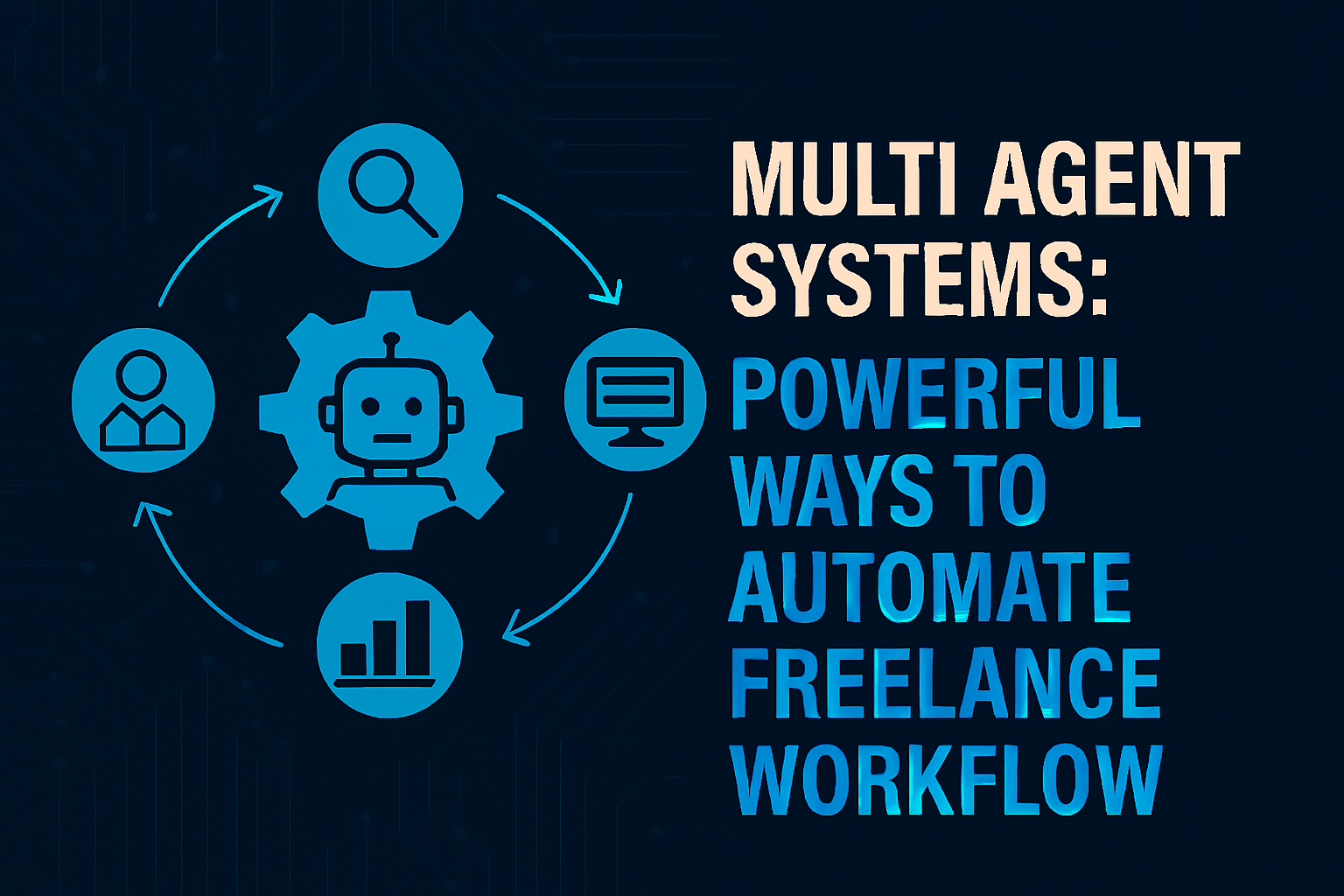
Agent 1 — Research & Data Collection
The first agent in many pipelines is a research agent. It scrapes public sources, queries knowledge bases, and compiles briefs. This agent feeds structured data to downstream agents, ensuring that content and decisions are grounded in accurate information.
Agent 2 — Content or Task Execution
A content agent drafts blog posts, proposals, or social media copy. For design or code tasks, a specialized agent can generate wireframes or boilerplate code. This agent focuses on execution and hands off drafts to quality agents.
Agent 3 — Quality Assurance & Optimization
Quality assurance is essential. A QA agent checks grammar, verifies facts, runs SEO checks, and ensures brand voice consistency. Optimization agents can also test variations and recommend improvements for optimization and conversion.
Agent 4 — Client Communication
A communication agent handles status updates, scheduling, and follow-ups. It can personalize messages based on client data and escalate issues to you when human input is required. This delegation reduces the cognitive load of constant client management.
Best Use Cases for Freelancers
SEO & Content Automation
SEO workflows are repetitive and data-driven. Use agents to perform keyword research, draft outlines, write content, and optimize meta tags. A final agent can schedule posts and monitor performance, creating a closed-loop digital workflow.
Social Media Scheduling
Social media requires consistent output. Agents can repurpose long-form content into short posts, generate visuals, and schedule across platforms. This automation keeps your presence active without daily manual effort.
Lead Generation Automation
Lead capture, qualification, and nurturing can be automated with a chain of agents: a lead capture agent, a qualification agent, and an outreach agent. This freelance business automation system helps you scale client acquisition.
Email Outreach Workflows
Cold outreach benefits from personalization at scale. Agents can draft tailored emails, manage follow-ups, and log responses. This task automation increases response rates while maintaining a personal touch.
Step-by-Step Setup Guide
Define Workflow Stages
Start by mapping your current workflow. Identify repetitive tasks, decision points, and handoffs. Break the process into stages that can be assigned to agents: intake, execution, review, delivery, and follow-up.
Assign Agents to Tasks
For each stage, define the agent’s role. Use specialized agents for research, drafting, editing, scheduling, and billing. Keep agent responsibilities narrow to improve reliability and make debugging easier.
Integrate APIs & Tools
Connect agents using APIs and connectors. Link your CMS, CRM, calendar, and payment systems so agents can read and write data. Integration is the backbone of a functioning multi-agent system.
Monitor & Optimize Performance
Set KPIs for each agent: turnaround time, error rate, client satisfaction, and revenue impact. Use monitoring agents to collect metrics and trigger retraining or rule updates when performance dips. This AI workflow optimization strategy ensures continuous improvement.
Tools That Support Multi-Agent Automation
AI Orchestration Platforms
Orchestration platforms let you define agent roles, workflows, and triggers. They handle message passing, retries, and logging. Choose platforms that support modular agents and easy integrations.
No-Code Automation Tools
No-code tools let freelancers build workflows without deep engineering skills. They are ideal for connecting apps, automating simple tasks, and prototyping agent interactions.
API Connectors
API connectors bridge your agents with external services: CRMs, analytics, payment gateways, and content platforms. Reliable connectors reduce friction and increase scalability.
CRM Integrations
Integrate your CRM to centralize client data. Agents can update records, log interactions, and trigger follow-ups, creating a seamless client experience.
Benefits of Multi-Agent Systems for Freelancers
Save Time
Automating repetitive tasks frees hours each week. Time saved translates directly into more billable work or strategic growth activities.
Increase Scalability
With agents handling routine operations, you can take on more clients without proportional increases in workload. This scalability is essential for growing a freelance business.
Reduce Burnout
Delegating administrative tasks to agents reduces stress and prevents burnout. You can focus on high-value creative work while agents manage the rest.
Improve Output Consistency
Agents follow rules consistently, which improves quality and brand consistency. Automated checks reduce human error and maintain standards across deliverables.
Implementation Checklist for Freelancers
- Map your current workflow and identify repetitive tasks.
- Prioritize tasks with the highest time cost for automation.
- Choose an orchestration platform or no-code tool that fits your technical comfort.
- Build agents with narrow responsibilities and clear inputs/outputs.
- Connect agents to your CRM, CMS, calendar, and payment systems.
- Define KPIs and monitoring dashboards.
- Start small, iterate, and scale successful pipelines.
Common Pitfalls and How to Avoid Them
Over-Automation
Automating everything at once can create brittle systems. Start with high-impact tasks and expand gradually.
Poor Data Hygiene
Agents rely on clean data. Ensure your CRM and content repositories are well-structured to avoid garbage-in, garbage-out.
Lack of Monitoring
Without monitoring, agents can drift or fail silently. Implement alerts and periodic reviews to catch issues early.
Ignoring Client Experience
Automation should enhance, not replace, human touch. Use agents to speed responses but keep personalization where it matters.
Measuring Success
Track metrics that matter to your freelance business:
- Time saved per task (hours/week)
- Number of clients handled without extra hires
- Revenue per hour after automation
- Client satisfaction and retention rates
- Error rates and rework frequency
Use these metrics to justify further investment in multiagent systems and to refine your AI workflow.
Security and Privacy Considerations
When you automate, you handle client data through multiple agents. Protect sensitive information by:
- Using secure API keys and encrypted storage
- Limiting these permissions to necessary scopes
- Regularly auditing logs and access controls
- Complying with local data protection regulations
Security is essential to maintain client trust and avoid costly breaches.
Pricing Your Automated Services
Automation can change how you price services. Consider:
- Value-based pricing for faster delivery and higher quality
- Subscription models for ongoing automated services
- Tiered packages that combine human strategy with execution
Transparent pricing helps clients understand the benefits of AI powered freelance automation.
Tools and Platforms to Explore
- Orchestration platforms that support these workflows
- No-code automation builders for quick prototypes
- API connectors for CRM, CMS, and payment systems
- Monitoring dashboards and analytics tools
Choose tools that match your technical comfort and budget. Many platforms offer free tiers to experiment before committing.
Expertise Spotlight TechearnHub Recommendations
Below are practical recommendations based on experience helping freelancers adopt automation:
- Start with a single pipeline. Automate one repeatable process, such as content production or client onboarding, and measure results.
- Use modular agents. Build agents that can be reused across projects to reduce development time.
- Keep humans in the loop. Use agents to handle routine tasks and escalate exceptions to you.
- Invest in monitoring. A small dashboard that tracks agent health prevents surprises.
- Document workflows. Clear documentation speeds troubleshooting and future improvements.
These steps reflect real-world lessons from implementing multi agent systems automation for solopreneurs and small teams.
Case Study Snapshot (Hypothetical)
A freelance content strategist implemented a four-agent pipeline: intake, research, drafting, and QA. Within three months:
- Turnaround time per article dropped by 60%
- Monthly output doubled without hiring
- Client satisfaction improved due to faster revisions
- Revenue per hour increased by 35%
This example shows how AI agents for freelancers can transform capacity and profitability.
Action Plan — 30-Day Roadmap
Week 1: Map and Prioritize
- Document your current workflow.
- Identify the top two tasks that consume the most time.
Week 2: Prototype
- Choose a no-code tool or orchestration platform.
- Build a simple pipeline for one task (e.g., content drafting).
Week 3: Test and Iterate
- Run the pipeline on real projects.
- Collect metrics and client feedback.
Week 4: Scale and Secure
- Add integrations (CRM, calendar, payments).
- Implement monitoring and security measures.
This roadmap helps you move from concept to production quickly while minimizing risk.
Freelancers who embrace AI automation and multi agent workflow automation gain a competitive edge. They deliver faster, scale smarter, and maintain creative control. Whether you’re a writer, designer, developer, or strategist, multi-agent systems can transform how you work—freeing you to focus on the parts of your business that matter most.
TechearnHub is committed to helping freelancers adopt practical automation strategies that increase efficiency, improve operations, and unlock scalability. Use this guide as your starting point and build a freelance workflow that works for you.
Frequently Asked Questions
What is a multi-agent system in AI?
A multi-agent system is a group of independent software agents that collaborate to complete tasks. Each has a specialized role, and together they form an automated system that can manage complex workflows.
How can freelancers automate their workflow?
Freelancers can automate by mapping repetitive tasks, assigning agents to each stage, integrating tools via APIs, and monitoring performance. Start small—automate one high-impact process and iterate.
Are AI agents better than automation tools?
AI agents and automation tools serve different purposes. Automation tools excel at rule-based tasks, while AI agents handle tasks requiring language understanding, creativity, or decision-making. Combining both yields the best results.
What tasks can AI agents automate?
AI agents can automate research, drafting, editing, scheduling, lead qualification, invoicing, and client communication. They are especially useful for tasks that are repetitive, data-driven, or require consistent formatting.
Is multi-agent automation expensive?
Costs vary. No-code tools and orchestration platforms offer affordable entry points. The biggest investment is time spent designing workflows and monitoring agents. For many freelancers, the ROI is rapid due to time savings and increased capacity.
How quickly can I implement a multi-agent workflow?
You can implement a basic pipeline in days using no-code tools and prebuilt connectors. More complex systems with custom agents may take weeks. Start with a minimum viable pipeline and expand.
Will automation replace my freelance work?
Automation replaces repetitive tasks, not strategic thinking or creativity. Use agents to handle routine work so you can focus on high-value services that clients pay a premium for.
How do I maintain quality with automated workflows?
Include QA agents and human review steps. Set thresholds for agent confidence and require human sign-off for high-stakes deliverables. Continuous monitoring and feedback loops keep quality high.