Table of Contents
Introduction: Why Getting AdSense Approved Is Harder Than You Think
You’ve built a website. You’ve published content. You’ve applied for Google AdSense — and then come the dreaded words: “Your site is not ready.”
If that sounds familiar, you’re not alone. Thousands of website owners apply for AdSense every month and get rejected, often without a clear understanding of why. The frustrating part? Many of them have genuinely good websites. The problem isn’t quality — it’s compliance, structure, and knowing exactly what Google is looking for in 2026.
Here’s the reality: Google’s AdSense approval process has become significantly more rigorous over the past few years. With increasing pressure to deliver a trustworthy advertising environment, Google has tightened its eligibility standards. What worked in 2020 or even 2023 may not be enough today.
The good news? The checklist is knowable. And once you check every box — not most, but every single one — approval becomes far more likely, and often surprisingly fast.
This guide is designed specifically for digital marketing agency owners, SEO professionals, and business-minded website owners who want a clear, actionable, no-fluff roadmap to AdSense approval in 2026. Let’s get into it.
What Is Google AdSense and Why Does Approval Matter?
Google AdSense is the world’s most widely used display advertising platform for website publishers. It allows you to earn revenue by displaying contextually relevant ads on your site, with Google handling the advertiser relationships, ad serving, and payment processing.
For digital marketers and agency owners, AdSense approval isn’t just about passive income — it’s a proof-of-concept for client websites, a monetization layer for content-driven properties, and a signal of a site’s legitimacy in Google’s ecosystem.
Being AdSense-approved also means your site has passed a human and algorithmic review that many websites fail. That’s a credibility badge that matters.
The Core AdSense Approval Requirements in 2026
Before diving into the detailed checklist, it helps to understand the three pillars Google evaluates every applicant on:
1. Content Quality and Originality 2. Website Structure and User Experience 3. Traffic, Trust, and Policy Compliance
Every item on this checklist ties back to one of these three pillars. Keep them in mind as you work through each step.
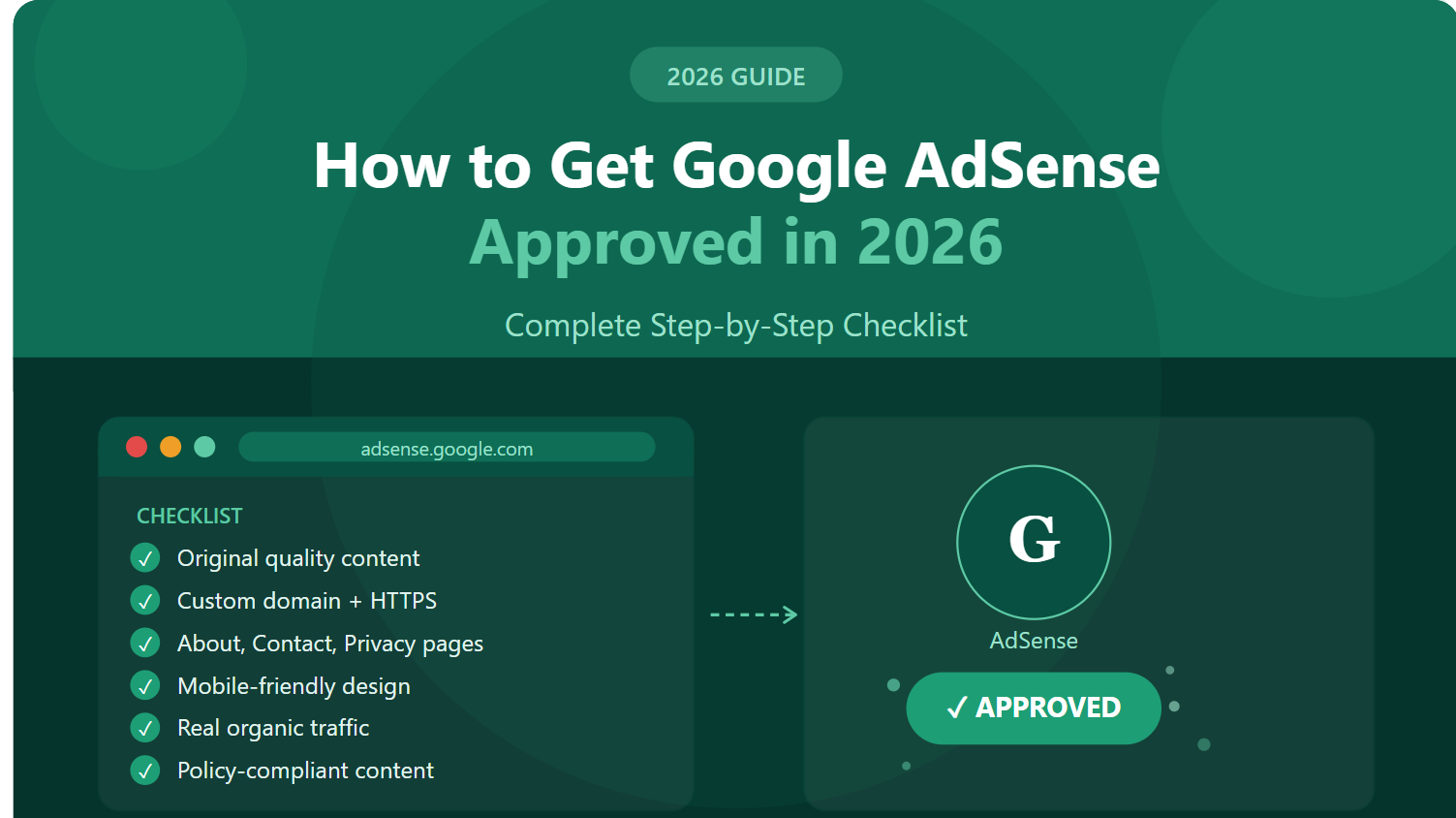
The Complete AdSense Approval Checklist for 2026
1. Your Website Must Be at Least 3–6 Months Old (In Most Cases)
Google has never officially confirmed a minimum age requirement, but the data is clear: websites younger than three months face significantly higher rejection rates. In certain countries — including India, China, and others with high application volumes — Google explicitly requires a six-month-old domain before considering your application.
Action step: If your site is new, don’t apply immediately. Use the time to build content, earn backlinks, and establish a traffic baseline. Apply when your domain has matured and your content library has depth.
2. Publish Sufficient, High-Quality Original Content
This is the number one reason websites get rejected. Google’s reviewers — both human and algorithmic — are specifically looking for original, valuable, human-first content that serves a real audience.
In 2026, “sufficient” content typically means:
- A minimum of 20–30 well-developed posts or pages for a blog-style site
- Each piece should be at least 800–1,200 words, with meaningful depth
- No thin content — avoid pages that say little, repeat obvious information, or exist purely to fill space
- No duplicate content — everything must be original, not copied or spun from other sources
Google’s Helpful Content System, which has been a major ranking and policy influence since its rollout, directly affects AdSense approval in 2026. Sites that feel like they were built “for search engines” rather than people are at high risk of rejection.
Action step: Audit every page on your site. If a page doesn’t genuinely help, inform, or entertain a real reader, either improve it or remove it before applying.
3. Build Essential Pages: About, Contact, Privacy Policy
This surprises many applicants, but Google’s reviewers specifically look for these pages as signals of legitimacy and transparency.
About Page: Tell your story. Who runs this site? What is its purpose? What can visitors expect? A real About page communicates that a real person or organization is behind the content.
Contact Page: Include a working email address or contact form. AdSense requires that users have a way to reach you.
Privacy Policy Page: This is non-negotiable. Because AdSense serves personalized ads using cookies and user data, your site must have a Privacy Policy that discloses this. Use a generator if needed, but ensure the language accurately describes your data practices.
Bonus: A Terms of Service or Disclaimer page (especially for health, finance, or legal content) further reinforces your site’s legitimacy.
Action step: Create or audit all three essential pages before submitting your application.
4. Ensure a Clean, Professional, User-Friendly Design
You don’t need a custom-designed website — but you do need one that functions clearly, loads quickly, and doesn’t frustrate visitors.
Key design elements Google evaluates:
- Easy navigation — menus are clear and logical
- Mobile responsiveness — your site must look and function well on phones and tablets
- Fast page load speed — use tools like Google PageSpeed Insights to identify and fix performance bottlenecks
- No intrusive pop-ups — especially on first load or before the user has engaged with content
- Readable fonts and layouts — content should be easy to consume
A cluttered, slow, or confusing website tells Google that your visitors will have a poor experience — and that’s not an environment Google wants to serve ads on.
Action step: Run your site through Google’s Mobile-Friendly Test and PageSpeed Insights. Fix any critical issues before applying.
5. Secure Your Site with HTTPS
If your site is still running on HTTP, stop everything and fix this first. Google has required HTTPS across its advertising network for years, and AdSense is no exception.
Most modern hosting providers offer free SSL certificates through Let’s Encrypt. If yours doesn’t, it may be time to switch hosts. HTTPS is also a Google ranking factor — there is no downside to having it.
Action step: Confirm your site loads via HTTPS with no mixed-content warnings. Use a browser’s padlock icon and tools like Why No Padlock to verify.
6. Have a Custom Domain (Not a Free Subdomain)
Websites hosted on free subdomains — think yoursite.blogspot.com or yoursite.wordpress.com — are still technically eligible for AdSense, but they face much steeper scrutiny and lower approval rates.
Owning a custom domain (e.g., yoursite.com) demonstrates a basic level of commitment and investment in your web presence. It also gives you full control over your site’s structure, which matters during the review.
Action step: If you haven’t already, purchase a custom domain and migrate your site. The investment is minimal; the payoff in credibility is significant.
7. Make Sure You Have Real, Organic Traffic
Google doesn’t require you to have millions of visitors before applying — but they do want to see that real people are finding and engaging with your site. A site with zero traffic, or traffic sourced from bots and paid-to-click schemes, raises immediate red flags.
What counts as meaningful traffic in 2026? There’s no hard number, but a baseline of 100–300 genuine organic or social visitors per month is commonly cited as a comfortable threshold for first-time applicants.
More important than volume is engagement. Are visitors reading your content? Spending time on the site? Returning?
Action step: Before applying, spend at least 4–6 weeks actively promoting your content through SEO, social media, and relevant communities. Build real, engaged traffic.
8. Avoid Prohibited Content — Absolutely
This should go without saying, but the list of content types that will result in immediate AdSense rejection (or ban) is worth reviewing explicitly:
- Adult, sexually explicit, or suggestive content
- Content promoting violence, hate speech, or discrimination
- Content facilitating illegal activities (piracy, hacking, drug sales, etc.)
- Content targeting minors inappropriately
- Misleading, deceptive, or “fake news” content
- Medical or health content that contradicts established scientific consensus
- Gambling content (without appropriate licensing and disclosure)
- Content about weapons, unless presented in a clearly educational or policy context
In 2026, Google’s AI-powered content classifiers are far more sophisticated than they were even two years ago. Don’t assume that borderline content will slip through.
Action step: Do a complete content audit with Google’s AdSense Program Policies open in another tab. If any page makes you hesitate, either revise it or remove it.
9.Remove or Noindex Placeholder and Low-Value Pages
Many websites have pages that were created during the build phase and never properly finished — tag pages with no content, author pages with a single post, category pages with two entries, or “coming soon” placeholders.
These low-value pages dilute your site’s overall content quality in Google’s eyes and can trigger rejection.
Action step: Use Google Search Console to see which pages are indexed. Noindex any page that doesn’t add real value, and delete or consolidate pages that exist purely as structural placeholders.
10. Don’t Already Have an Approved AdSense Account
Google allows only one AdSense account per person. If you or your business entity already has an approved account, you cannot apply for a second one — instead, you add new sites to your existing account.
Attempting to create multiple AdSense accounts is a policy violation that can result in permanent bans.
Action step: Log into your Google account and check whether an AdSense account already exists before applying.
Best AI Writing Tools for Bloggers in 2026 (Free + Paid): The Complete Guide
11. Comply with Google’s Publisher Policies
Beyond the content restrictions above, Google has a broader set of Publisher Policies that govern everything from how ads are placed to how traffic is generated. Key points to understand:
- No invalid click encouragement — never ask visitors to click your ads
- No ad placement that interferes with content — ads must not be placed where users are likely to click them by accident
- No ad-to-content imbalance — pages that are mostly ads and little content will be rejected
- No traffic from prohibited sources — traffic from pop-unders, paid-to-click networks, or misleading redirects violates policy
Action step: Read Google’s full AdSense Program Policies before submitting your application. Bookmark it — you’ll want to revisit it as your site grows.
12. Apply Correctly and Be Patient
Once you’ve checked every box on this list, the application process itself is straightforward:
- Go to adsense.google.com and sign in with your Google account
- Enter your website URL and your preferred language
- Connect AdSense to your site by adding the provided code snippet to your site’s <head> section (most CMS platforms have plugins that simplify this)
- Complete your account details and payment information
- Submit and wait
Review timelines vary. Google states that reviews can take anywhere from a few days to a few weeks. During this period, do not apply repeatedly or make major changes to your site — both can reset the review process.
If you’re rejected, read the rejection reason carefully. Google typically provides a general category (content quality, site navigation, etc.) that tells you where to focus your improvements before reapplying.
Common Mistakes That Cause AdSense Rejection in 2026
Even well-prepared applicants make avoidable mistakes. Here are the most common ones:
Applying too early. Patience pays. A three-month-old site with 15 posts is not ready. A six-month-old site with 30 well-written posts probably is.
Ignoring mobile experience. In 2026, the majority of web traffic is mobile. A site that looks great on desktop but breaks on a phone is not AdSense-ready.
Having an incomplete About or Privacy Policy page. These aren’t optional. A two-sentence “About” page and a copy-pasted Privacy Policy with placeholder text will likely fail review.
Applying with a niche that’s borderline. Health, finance, legal, and relationship content all fall under Google’s “sensitive categories.” Sites in these niches need even stronger content standards and may face longer review times.
Misunderstanding traffic requirements. Traffic volume matters less than traffic quality. 50 engaged, organic readers are more valuable to your application than 5,000 visitors from a traffic exchange.
Frequently Asked Questions
Q: How long does AdSense approval take in 2026?
Typically between 2 and 14 days, though some applications take up to a month. Submitting a complete, policy-compliant site tends to speed up the process.
Q: Can I apply for AdSense with a brand new blog?
Technically yes, but practically it’s not advisable. Apply after at least 3–6 months with consistent content and real organic traffic.
Q: Does AdSense require a minimum number of visitors?
There’s no official minimum, but a site with little to no organic traffic is unlikely to be approved. Aim for consistent, real traffic before applying.
Q: Can I use AdSense and other ad networks simultaneously?
Yes — AdSense permits running alongside other ad networks as long as those networks comply with Google’s policies and your total ad placements don’t overwhelm your content.
Q: What if I get rejected? Can I reapply?
Yes. Fix the issues outlined in your rejection notification and reapply. There’s no limit to how many times you can apply, though repeated rejections without meaningful improvement can signal issues to Google’s system.
Q: Does my website’s niche affect approval chances?
It can. Certain niches (gambling, adult content, controversial health claims) are either prohibited or require stricter compliance. Choose your niche carefully if monetization is a primary goal.
Final Thoughts: AdSense Approval Is a Reflection of Quality
Here’s the mindset shift that separates successful applicants from frustrated ones: Google AdSense approval is not a bureaucratic hurdle — it’s a quality assessment. Every item on this checklist exists because it reflects something real about your site’s value, trustworthiness, and user experience.
When you approach your application as an opportunity to build a genuinely excellent website — original content, clean design, transparent ownership, real audience — approval tends to follow naturally.
For digital marketing professionals and agency owners, this is especially worth internalizing. The skills required to get a site AdSense-approved in 2026 are the same skills that produce high-performing, trustworthy websites in every other dimension: SEO rankings, lead generation, user engagement, and brand credibility.
Work the checklist. Build the site your visitors deserve. The approval will come.

Rushikesh Gore is an SEO professional and digital marketing enthusiast with experience in Technical SEO, On-Page SEO, Link Building, and WordPress optimization. He regularly publishes content on SEO, freelancing, blogging, and online earning strategies. His work focuses on helping beginners build sustainable online income and improve website visibility.
Expertise: SEO, WordPress, Technical SEO, Freelancing, Blogging